

Workflow
1
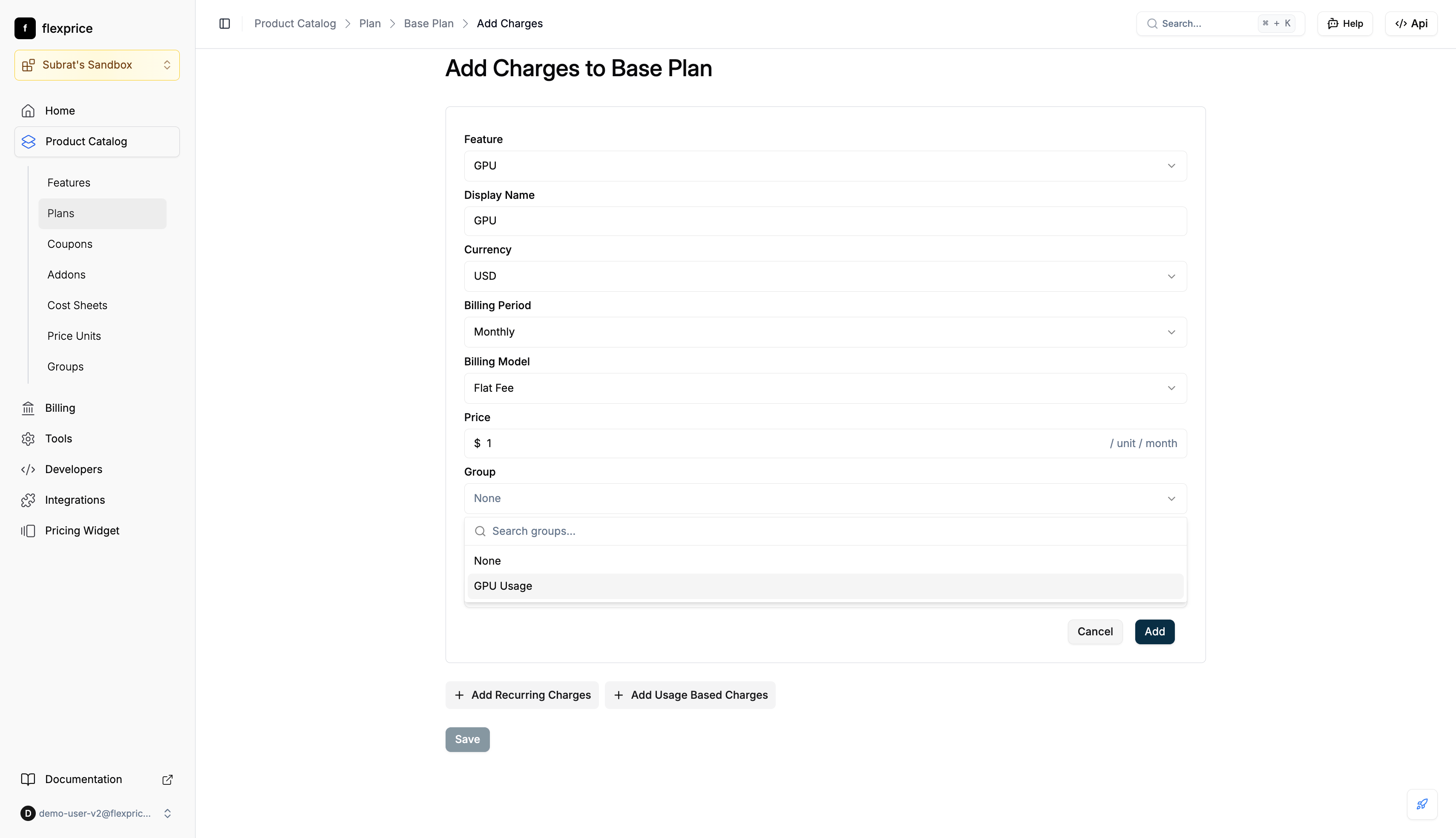
Assign group when adding a charge
- When adding a charge to a plan, use the Group field: search or select a group (e.g. “GPU Usage”)
- Save the charge; it is stored with that group
2
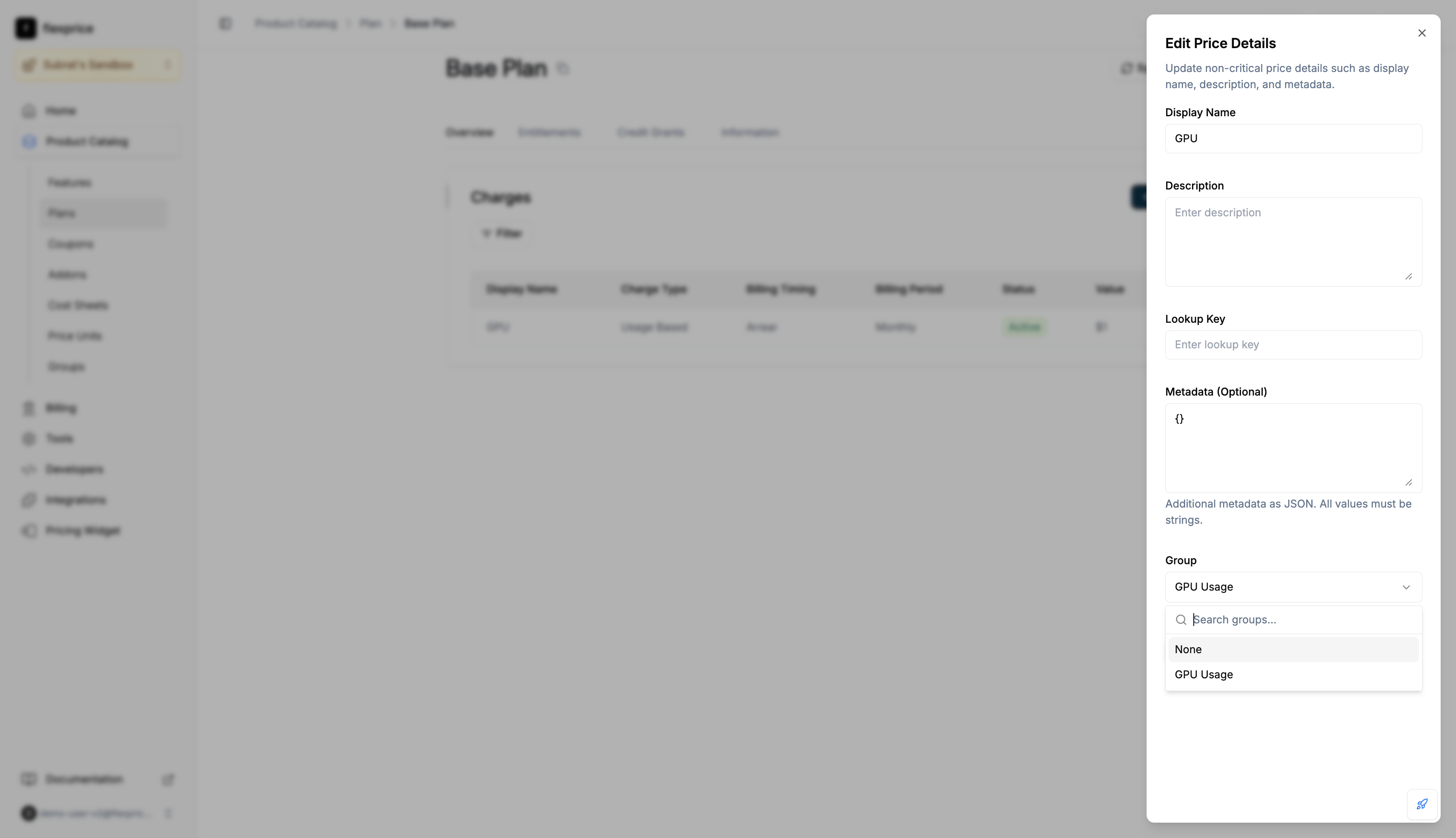
Change group on an existing price
- Open the plan → Charges → Edit Details
- In Edit Price Details, set Group to the desired group or None to ungroup
- Save
API (prices)
Create: Include
group_id (group id from POST /v1/groups).
Update: Send group_id: "grp_..." to assign, group_id: "" to ungroup. Omit to leave unchanged.
View: GET /v1/prices/:id?expand=groups or POST /v1/prices/search with expand: "groups" for full group on each price.
Analytics: POST /v1/events/analytics with expand: ["price"]. Group appears under each item’s price.group when set.
Invoices: Line items use the price’s group_id to fetch group names.
Plan cloning preserves groups. Cloned plan’s prices keep the same group assignments as the source.